

Wireframing.
Define spatial layout, information hierarchy and interaction flows before visual styling and engineering begin.
We build low and mid-fidelity wireframe blueprints that align product stakeholders, validate ergonomics, expose workflow bottlenecks, and establish solid structural foundations while changes are still cheap.
PRODUCTION CAPABILITIES
Wireframing built for real-world use.
AKREVON brings strategic rigor, user empathy, and production-grade craftsmanship to every facet of wireframing.

Screen Architecture
Establishing spatial zones, containers, navigation placement, and data density for every screen without distraction from colors or fonts.

Layout Hierarchy
Prioritizing on-screen elements so users naturally scan, understand, and act upon the most critical information first.
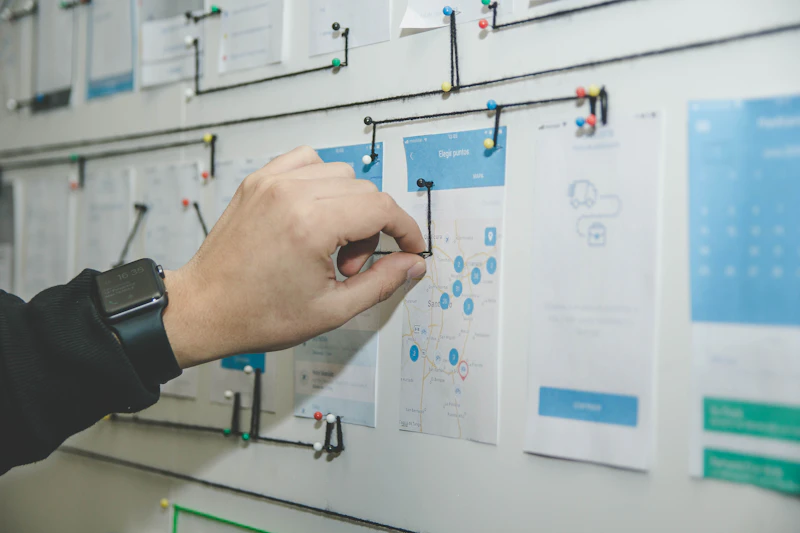
Interaction Flows
Connecting individual wireframe screens into comprehensive clickable workflows that document every state change and decision branch.

Responsive Wireframes
Wireframing layouts across desktop, tablet, and mobile breakpoints to verify component reflow and touch ergonomics early.

Prototype Mapping
Assembling clickable low-fidelity prototypes that allow stakeholders and users to walk through realistic end-to-end user scenarios.

Validation
Testing wireframe prototypes with target users to expose confusion, awkward navigation, and flawed assumptions before high-fidelity design.
STRATEGIC DECISION FRAMEWORK
Before design begins.
Four decisions that shape the right product direction.
Which screens are essential?
Determining the core screen inventory required for the initial product scope.
We audit the product scope to eliminate vanity screens and consolidate workflows. We define the essential screen inventory: primary dashboard/feed, detail/entity inspection view, creation/edit flows, and settings. Consolidating screens reduces development cost and speeds up user navigation.
What information belongs on each screen?
Establishing strict content boundaries and data prioritization per view.
Every screen must have a clear purpose. We determine what data is vital for immediate decision-making versus what should be revealed progressively through tabs or accordions, preventing cluttered interfaces.
How should users move between tasks?
Mapping seamless transitions between global overview and granular task details.
We decide how users transition from broad lists to deep item inspection: full-page navigation, slide-over drawer panels, expandable inline rows, or modal popups. Slide-over drawers preserve background context, while full pages maximize workspace.
What should be validated before visual design?
Testing functional layout and workflow logic before investing in visual polish.
Before investing in brand expression, typography, and color tokens, we validate that the wireframe layout is intuitive. Testing grayscale wireframes ensures feedback focuses on functional utility, navigation clarity, and information hierarchy.
DELIVERY CADENCE
How We Develop Wireframes
A disciplined blueprinting framework that de-risks digital products before visual design.
Inventory & User Flows
Identify core screens, map step-by-step decision trees, and establish spatial zones.
Grayscale Blueprinting
Draft low-fidelity wireframes focusing on visual weight, typography hierarchy, and spacing.
Responsive Reflow
Adapt wireframe layouts across desktop, tablet, and mobile breakpoints with touch targets.
Clickable Prototype & Testing
Link wireframes into clickable flows, test with users, and secure stakeholder sign-off.
Why Wireframe Before Visual Design
Wireframing is the cheapest, fastest way to iterate product structure and logic.
Iterate at 10x Speed
Altering a grayscale wireframe takes minutes; refactoring high-fidelity design components takes hours or days.
Focus on Function Over Aesthetics
Stakeholders focus on workflow logic and data hierarchy rather than personal color preferences.
De-Risk Engineering Estimates
Developers can accurately estimate backend API requirements and frontend state logic from detailed wireframe flows.
PRODUCT OUTCOMES
Why Wireframing Reduces Product Risk
Building without wireframes is like building a skyscraper without architectural blueprints.
Rock-Solid Information Hierarchy
Every on-screen element has an intentional place, creating clean, predictable user scanning patterns.
Zero Unplanned Edge Cases
Error states, empty states, and loading states are designed and resolved before engineering sprints begin.
Accelerated Visual Design Phase
UI designers apply brand styling, typography, and color tokens to approved structural foundations with zero guesswork.
THE AKREVON STANDARD
Why AKREVON for Wireframing
We treat wireframes as living architectural blueprints for production software.
System-First Thinking
Our wireframes are built with reusable structural components that translate 1:1 to frontend code frameworks.
Engineering Feasibility Built-In
We design layouts that respect real database queries, API response latencies, and state caching.
Clickable & Testable
Every wireframe package includes an interactive prototype ready for usability testing and stakeholder demos.
FREQUENTLY ASKED QUESTIONS
Wireframing answers
High-fidelity visual design introduces colors, typography, imagery, and styling that distract review discussions. Wireframing ensures the core layout, information hierarchy, and user task logic are 100% validated before investing in visual polish.
Ready to design a product users genuinely love?
Book a strategic discovery session with AKREVON’s product designers to map your user journeys, design systems, and rapid interactive prototypes.